
Breathedge 2 Crafting and Upgrades
Learn the Breathedge 2 crafting loop, identify materials by interaction, protect early bottlenecks, plan repairs, and choose useful suit and backpack upgrades.
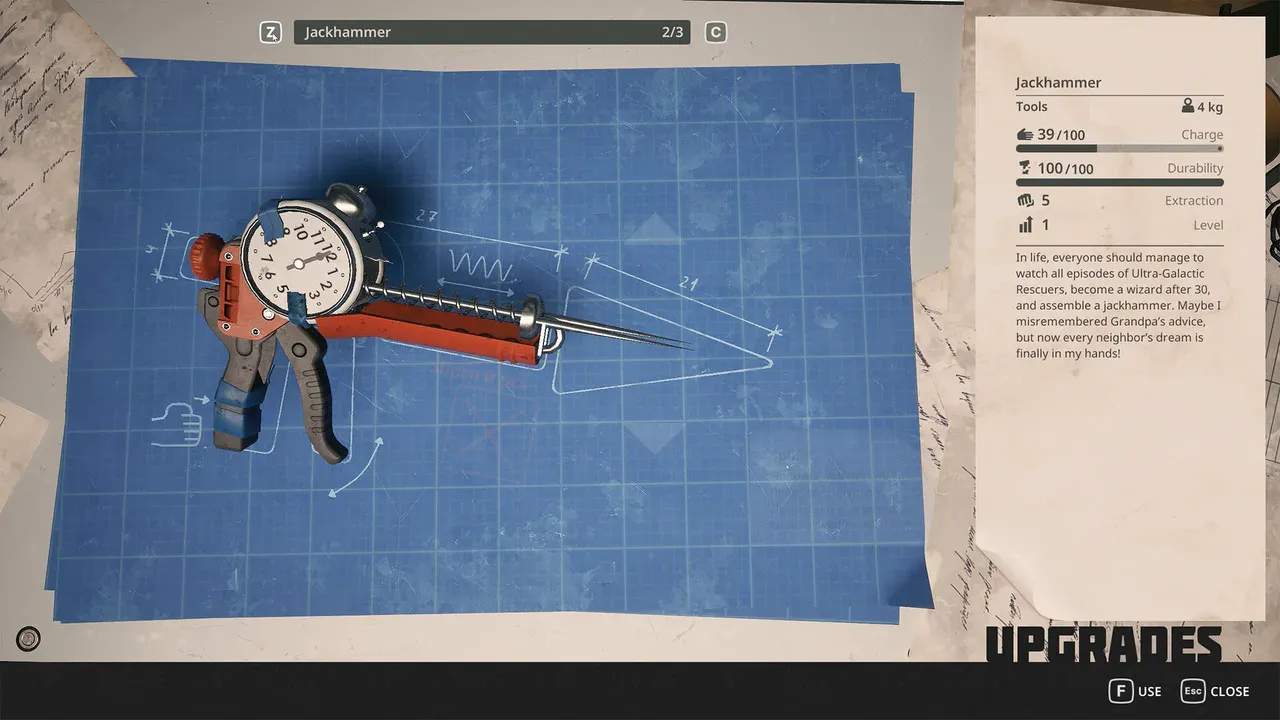
FAQ
Should I spend my last Electronics on an optional machine?
Why does a crowbar no longer dismantle a train crate?
Is the documented Backpack recipe permanent?
What is the practical crafting loop?
Crafting begins with the current objective, not with an unlimited collection run:
- inspect the repair or recipe and note only its missing items;
- match each material to the object that produces it;
- leave enough oxygen and inventory space for the return;
- craft or repair the route-changing item first;
- store bottleneck materials instead of consuming them on optional scenery.
The current build often leaves materials attached to recognizable objects. Move close and watch for Break, Cut, Unscrew, Pull, or Drill. A lamp assembly with an Unscrew prompt is a better Light Bulb target than random glowing debris; taped pipework can provide Electrical Tape; appliances can provide Electronics.
Which materials should you protect early?
| Material | Typical current-build clue | Why it matters |
|---|---|---|
| Electronics | Appliances and machinery | Train, communications, and survival repairs |
| Wires | Panels and exposed electrical objects | Several repair chains consume them quickly |
| Electrical Tape | Taped pipes and equipment with Cut prompts | Oxygen and communication infrastructure |
| Aluminum | Drillable deposits | Upgrades and repair bottlenecks |
| Ice | Frozen resource pieces | Water and oxygen uses compete for the stack |
| Titanium | Small spiked-ball object | High-impact later crafts such as the Backpack |
The full object reference, including Rubber, Foam, Cardboard, Refined Metal, and Light Bulbs, is in the resources and materials guide.
Which upgrades change exploration most?
Prioritize an upgrade when it removes a real limit. A launch-build field report lists the Backpack at 4 Titanium, increasing the documented carrying capacity from 110 to 185. That affects every later material run, so it is worth a focused search after the recipe becomes relevant.
The suit wardrobe is the other major upgrade surface. When the journal asks for 100 Cold Protection, fill the available body slots until the displayed total crosses the gate, then compare armor, radiation, electrical protection, and satiety penalties instead of maximizing cold alone. See the cold protection guide.
How do repairs fit progression?
Required repairs usually create infrastructure or open a route: train power, the Public Oxygen Station, communications, Service Warmers, and later facility systems. Read the material panel before leaving and carry a small spare only when several similar machines are on the route.
The Chapter 1 walkthrough shows when each major repair becomes relevant. The survival systems guide explains why carrying every material can be worse than completing one known repair safely.
What should you craft when several jobs need the same materials?
Use the next blocked objective to decide what receives the scarce component. This priority table is an editorial planning aid, not a fixed unlock order.
| Situation | Spend first on | Defer |
|---|---|---|
| A required repair is missing one component | That repair | Optional machines using the same item |
| You cannot survive the next cold route | The insulation needed to meet the displayed gate | Extra protection with no immediate purpose |
| Carrying limits repeatedly end useful trips | An available capacity upgrade | Collecting low-priority scrap |
| The destination has no confirmed refill | A workable oxygen plan | Another distant side objective |
After crafting, inspect the resulting equipment or repaired object before launching a second trip. A recipe being affordable does not mean it solves your current limit.
Why does the crowbar no longer dismantle an object?
0.8.7 makes train crates, lamp shades, robots and doors Twister-only dismantles. Follow the displayed interaction and avoid repeating an outdated crowbar instruction.
See the patch tracker if a formerly working action changes after an update.
Sources and last verified
Editorial review: September 7, 2026. Gameplay evidence remains the cited EA launch reports, not a new hands-on test. Official system scope: Steam store page. Current-build material forms and example values: resources and crafting field guide. Recipes and capacities are EA launch-build data and may change during Early Access.
Related Articles
Gameplay
Breathedge 2 Building and Vehicles: What Is Playable and Planned?
Check when Breathedge 2 plans personal vehicles, ship outfitting, planetary building and warp travel, and what launch repairs actually unlock.
Start Here
Breathedge 2 PC Requirements: Minimum, Recommended and Checks
Compare your PC with Breathedge 2's official CPU, RAM, GPU and storage requirements, then check bottlenecks and the 0.8.7 ultrawide fix.
Start Here
Breathedge 2 Early Access Guide: Start Order and Current Scope
Start Breathedge 2 with a practical first-session route, choose the right focused guide, and distinguish playable Chapter 1 content from the roadmap.
Was this helpful?
Thanks for the feedback!